| DUDEK Emil:
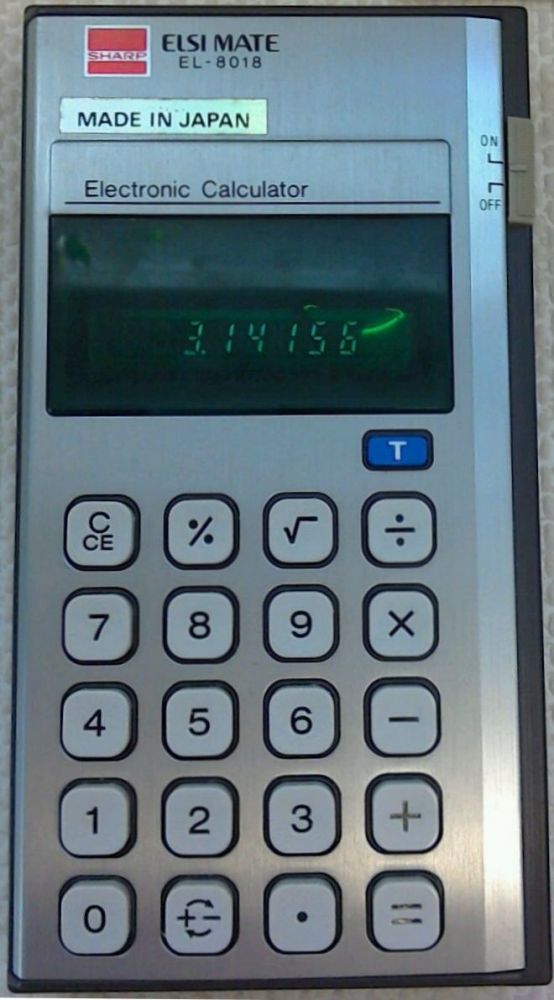
Stylish slim with a high quality solid feel.
Quirky right hand extra digit is typical of SHARP but this has elements of a CASIO clone with the individual key escutcheons.
The logic is not so good, suffering from a lack of consistent recovery, limited automatic constant and the negative zero bug.
The memory function is all but useless.
The original cover is soft black plastic, open top and top sides (the right more than the left) with SHARP embossed on the front and ‘Made in Japan’ on the back.
Boards: The main cpu board (F1377CC) sits loosely on top of the keyboard assembly (HDK F1376CC) and is joined by a 13-way ribbon cable.
The latter is attached to the front with a couple of plastic lugs.
Construction: Remove the screw in the battery compartment.
It is then quite difficult to open as there are two internal lugs on the top and bottom edge and one on each side.
You have to try and push in the rear section.
It is quite tricky so be warned - damage can easily result.
I found it easiest to start with the top side and work around. The rear eventually lifts off.
Logic comments: [C/CE] is used to cancel entry on the first press and clears the whole calculator on the subsequent.
Two presses are needed to clear the total memory function.
Overflow on the input of a number is suppressed, typing in a ninth digit ignores the last number.
There is automatic constant on multiply and divide only.
Negative numbers are flagged by a ‘-‘ sign in the far right (ninth) digit thereby allowing full eight digit negative numbers.
A divide by zero shows zero and ‘C’ in the far right (ninth) digit and is not recoverable.
Overflow shows the result with ‘C’ (‘E’ if negative) in the far right (ninth) digit and is recoverable using [C/CE]
There is a one function memory.
Using [T] will recall the total accumulation of every number that results from an equals key. Use [C/CE] twice or press [T] twice to clear it.
Memory store is not indicated, you have to remember it.
The change sign function can be used in mid number entry.
Negative square roots are not allowed and show the result with an ‘E’ in the far right (ninth) digit and is not recoverable.
This calculator suffers the negative zero bug:
key in [1] [-] [2] [=] to give ‘-1’
now key in [+] [1] [=] to give ‘-0’ |